
Tuya Smart Lock: How Remote Unlocking and Access Control Work
A Tuya smart lock can make everyday access easier by allowing compatible locks to be managed through the Tuya Smart or Smart Life ecosystem. Depending on the lock model, users may be able to manage PIN codes, fingerprints, access cards, app-based access, and other smart features from their phone.
If you're considering smart lock installation in Dubai, don't choose a lock simply because its product description mentions Tuya, Wi-Fi or app control. Check the door compatibility, connection type, and the specific remote-access features supported by that particular model.
Not every Tuya-compatible smart lock works in exactly the same way. Some communicate via Bluetooth, some provide Wi-Fi connectivity, while others may require a compatible gateway for certain remote functions.
Understanding these differences is particularly important if your main reason for buying a smart lock is remote unlocking.
In this guide, we'll explain how a Tuya smart lock works, how remote access differs from local app control, when a gateway may be required, and what to check if your lock won't unlock remotely.
What Is a Tuya Smart Lock?
A Tuya smart lock is a compatible electronic lock that uses Tuya's smart-device ecosystem for supported app-based functions.
Depending on the lock manufacturer and model, access methods may include:
- PIN codes
- Fingerprints
- Access cards
- Mechanical keys
- Mobile app controls
- Temporary credentials
- Other supported electronic access methods
However, seeing “Tuya compatible” in a product description does not mean that every Tuya feature is available on that lock.
The physical lock is produced by a lock manufacturer, while the Tuya platform provides software and connectivity functions for that particular product implementation.
This distinction matters.
Two locks that both work with the Tuya Smart app can have very different hardware, access methods, and remote capabilities.
Can You Unlock a Tuya Smart Lock Remotely?
Potentially, yes-but only when the particular lock and its connectivity configuration support remote unlocking.
This is different from assuming that every Tuya smart lock can be unlocked from anywhere simply because it appears in an app.
A lock may communicate through:
- Bluetooth
- Wi-Fi
- A compatible gateway
- Another connection method supported by the product
For example, a Bluetooth smart lock may communicate directly with your phone when you are nearby. Remote functionality may require a compatible gateway or another supported internet connection.
A lock with appropriate Wi-Fi functionality may provide different remote capabilities.
The exact arrangement depends on the product.
Before purchasing a smart lock specifically for remote access, verify:
- Whether remote unlocking is supported.
- Whether a gateway is required.
- Which app is used.
- Which credentials can be managed remotely.
- Whether temporary access can be created remotely.
- What happens if the internet connection is unavailable.
This is much more useful than choosing a lock based only on the words “smart” or “Tuya.”
How Does a Tuya Smart Lock Connect?
Understanding the connection method helps explain why some Tuya locks work remotely while others provide primarily local app functions.
Bluetooth
A Bluetooth smart lock communicates directly with a nearby compatible phone.
Bluetooth is useful for local communication, but its range is limited.
If a Bluetooth lock supports remote functions, additional hardware such as a compatible gateway may be required to connect the lock to an internet-enabled system.
Wi-Fi
Some smart locks provide Wi-Fi connectivity directly or through another component of the system.
Where supported, this can allow certain functions to operate over an internet connection rather than requiring the phone to remain physically close to the lock.
However, the availability of Wi-Fi does not automatically mean every function can be controlled remotely.
Always check the features specified for the exact model.
Gateway
A gateway can act as a bridge between compatible local smart devices and an internet-connected network.
For certain Tuya-compatible smart locks, a gateway may be required before remote functions become available.
This is an important detail to check before purchasing a lock. Otherwise, you may install the hardware and later discover that an additional gateway is required for the remote feature you wanted.
Do You Need a Gateway for a Tuya Smart Lock?
It depends on the lock.
This is one of the most important questions to answer before buying or installing a Tuya-compatible model.
A Bluetooth-based lock may require a compatible gateway for remote functionality, while another model may provide a different connectivity arrangement.
Don't assume that a gateway is included with the lock either.
Before installation, check:
- Lock model
- Connectivity type
- Gateway requirements
- Gateway compatibility
- Supported remote functions
- Network requirements
If remote unlocking is essential, confirm the complete setup rather than evaluating only the lock itself.
How to Connect a Smart Lock to the Tuya App
The exact setup procedure varies by manufacturer and lock model, so the product instructions should always take priority.
A typical setup process may involve the following.
1. Install the Required App
Check whether the manufacturer specifies the Tuya Smart app, Smart Life app or another compatible application.
Create or sign in to the appropriate account.
2. Prepare the Smart Lock
Install the lock correctly and make sure it has sufficient battery power.
Complete any initialization procedure required by the manufacturer.
3. Enable the Required Connection
Depending on the lock, pairing may use Bluetooth, Wi-Fi, or another supported method.
Follow the manufacturer's pairing procedure rather than assuming that every Tuya lock connects directly to Wi-Fi.
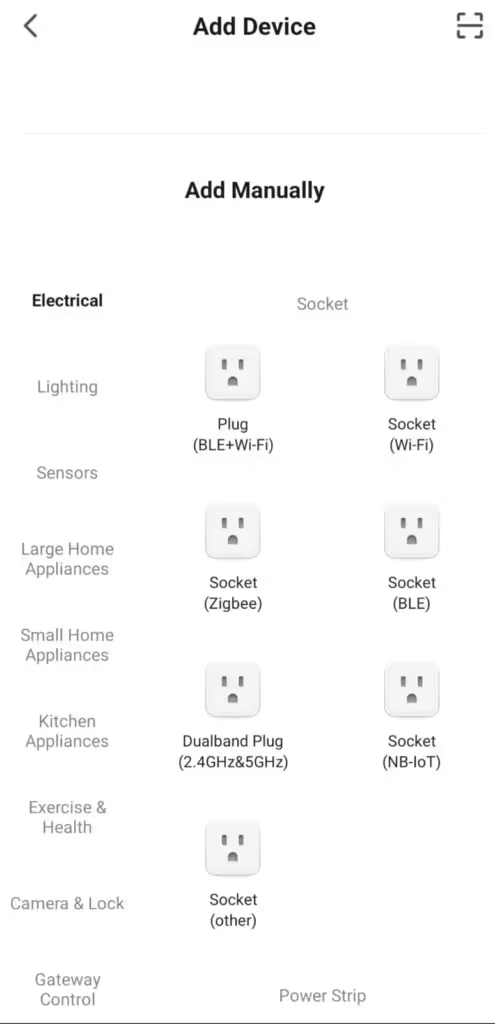
4. Add the Lock to the App
Use the application's device-addition process and follow the instructions provided for the lock.
5. Configure Authorized Users
Once connected, configure only the credentials and permissions that your particular lock supports.
These might include:
- PIN codes
- Fingerprints
- Cards
- App users
- Temporary access
6. Test the Lock
Before relying on remote functionality, test all required access methods.
Test the lock while the door is open first. Confirm that the latch or bolt moves correctly and that your primary and backup access methods work.
How Does Tuya Smart Lock Remote Unlocking Work?
When remote unlocking is supported, an authorized user can initiate an access action via the relevant app and the connected system.
The exact process depends on the lock.
A typical arrangement involves:
User → App → Internet/compatible connection → Lock system → Unlock command
But this shouldn't be treated as a universal architecture for every Tuya-compatible product.
The important point is that the physical lock must have a supported communication path for remote command execution.
If you are using a Bluetooth-only connection without the required gateway, seeing the device in your app does not necessarily mean you can control it when away from the property.
Remote Unlocking vs Temporary Guest Access
These two functions are often confused, but they are not necessarily the same thing.
Remote Unlocking
Remote unlocking means an authorized user initiates an unlock action while away from the door, where the lock and its configuration support that feature.
For example, you might receive a call from someone standing at your door and authorize access remotely.
Temporary Access
Temporary access means providing another person with an authorized credential that can be used to operate the lock according to its capabilities.
Depending on the model, that could involve a temporary PIN or another supported credential.
This can be useful when managing access for:
- Family members
- Guests
- Cleaners
- Maintenance personnel
- Employees
- Rental-property guests
Temporary access can sometimes be preferable to remotely unlocking the door manually each time someone arrives.
The exact options depend on the lock model and configuration.
Managing PIN Codes, Fingerprints and Access Cards
Many electronic locks offer multiple ways to unlock the door.
Depending on the particular Tuya-compatible model, these may include PINs, fingerprints, cards and app-based credentials.
However, don't assume that every credential can be created, deleted or modified remotely.
For example, a particular lock may allow PIN management through the app while requiring fingerprint enrollment to be performed on the lock itself.
Another model may handle permissions differently.
When choosing a lock, check both:
What access methods does it support?
and:
Which of those access methods can be managed remotely?
That distinction is especially important for rental properties and workplaces where access permissions may change frequently.
Activity Logs and Notifications
Some Tuya-compatible smart locks can provide activity information through the associated app.
Depending on the lock and configuration, this may include records associated with:
- Unlocking activity
- Specific credentials
- Access attempts
- Battery warnings
- Other lock events
Notifications may also be available for certain events.
Again, these features are model-dependent.
Don't purchase a lock assuming that it will provide a complete access history simply because it uses the Tuya platform. Verify what the specific lock records and how those records are presented.
What Happens If the Internet Goes Down?
Losing the internet connection does not necessarily mean you will be locked out of the property.
A smart lock may still support local access methods such as:
- PIN
- Fingerprint
- Access card
- Mechanical key
- Local Bluetooth access
depending on the model.
However, internet-dependent remote functions may become unavailable until connectivity is restored.
This is why a smart-lock setup should not rely on a single access method.
Before installation, understand what happens if:
- Home internet stops working
- The gateway goes offline
- Your phone has no internet
- The lock battery becomes depleted
- The app is temporarily unavailable
A practical backup method is an important part of choosing a smart lock.
What Happens If the Tuya Smart Lock Battery Dies?
Like other battery-powered electronic locks, a Tuya-compatible smart lock can lose electronic functionality when its batteries become depleted.
The correct recovery method depends on the model.
Some smart locks provide a mechanical backup key. Others provide an external emergency power connection, while different models may use a different manufacturer-supported method.
Do not assume that every lock accepts the same emergency power source.
Our guide to a smart lock battery-dead situation explains how to identify the battery problem, check for backup access, and determine what to do if fresh batteries don't restore normal operation.
Once access is restored, replace or recharge the lock's internal power source according to the manufacturer's instructions.
Tuya Smart Lock Not Unlocking Remotely?
If the app won't remotely unlock the door, don't immediately reset the lock.
Troubleshoot the problem systematically.
1. Check Whether the Lock Works Locally
Try an authorized local credential such as a PIN, fingerprint, card, or mechanical key, depending on the lock.
If local access works normally but remote access does not, the physical locking mechanism may not be the problem.
2. Check the Battery
Low battery power can affect electronic operation.
Check for battery warnings and, if necessary, replace or recharge the battery according to the manufacturer's instructions.
3. Identify the Connection Type
Determine whether the lock uses:
- Bluetooth
- Wi-Fi
- Gateway-assisted connectivity
- Another supported connection
This is critical.
A Bluetooth lock that requires a gateway for remote access will not suddenly become remotely controllable simply because your phone has internet access.
4. Check the Gateway
If your system uses a gateway, check whether it is online and communicating with the network.
A working smart lock combined with an offline gateway can result in local access working while remote functions do not.
5. Check the Internet Connection
If the remote function depends on internet connectivity, confirm that the relevant network components are online.
6. Check the App and Device
Confirm that you are signed into the correct account and that the correct lock is associated with the appropriate home or device group.
Also check whether the app indicates that the device is online or offline.
7. Check User Permissions
A person who can see a lock in the app may not necessarily have permission to perform every action.
Review the permissions associated with the user account.
8. Check Whether the Lock Works With the Door Open
If possible, test the locking mechanism with the door open.
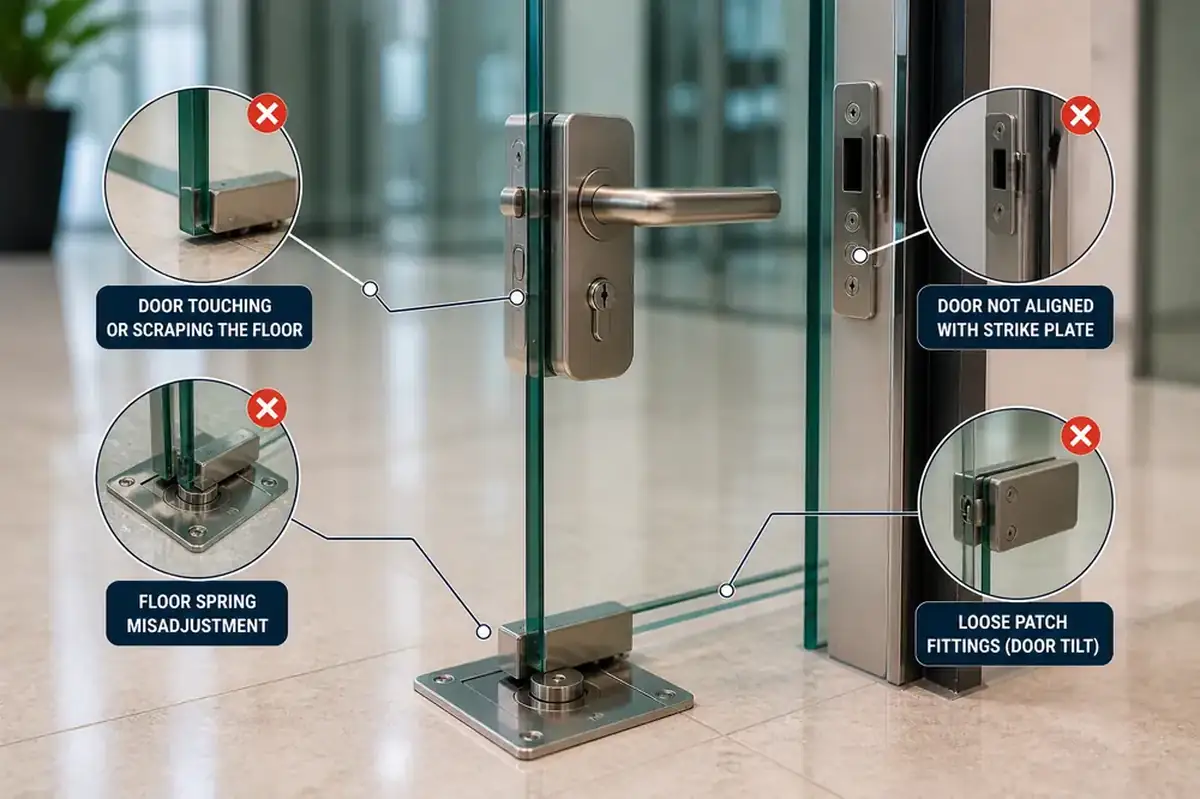
If the motor operates correctly when the door is open but struggles when the door is closed, door or strike alignment may be contributing to the problem.
This points toward a physical issue rather than purely an app or connectivity problem.
9. Don't Factory Reset the Lock Too Quickly
A factory reset can remove configuration, pairing information, or credentials depending on the product.
Use a reset only when it is part of the manufacturer's troubleshooting procedure, and you understand what information will need to be configured again.
App Problem or Physical Lock Problem?
A useful first step is determining which side of the system is failing.
These are troubleshooting clues, not definitive diagnoses.
If the lock is mechanically jammed, the handle is not operating correctly, or the bolt cannot move even when valid local credentials are used, a locksmith in Dubai can inspect the physical door and locking mechanism before you assume that Tuya or the app is responsible.
Does Every Smart Lock Work With the Tuya App?
No.
A smart lock needs to be specifically designed to work with the Tuya ecosystem or otherwise supported according to the manufacturer's specifications.
You should not assume that an existing electronic lock can be connected to Tuya simply by installing the Tuya Smart app.
Compatibility needs to exist at the product level.
Even among Tuya-compatible locks, available features can vary considerably.
One model might offer:
- Fingerprint
- PIN
- Card
- App management
- Remote functions
while another may offer a different combination.
For this reason, Tuya compatibility and feature compatibility are not the same thing.
Check the exact model rather than choosing solely by platform name.
Is a Tuya Smart Lock Suitable for an Airbnb or Rental Property?
It can be, depending on the lock and the way the property is managed.
For rental properties, useful features may include the ability to provide guests with controlled access without physically handing over the same mechanical key each time.
However, before choosing smart locks for Airbnb, consider:
- How guest credentials are created
- Whether access can expire
- How credentials are removed
- What happens if the battery dies
- What happens if internet connectivity fails
- Whether a gateway is required
- What backup access method is available
- Whether the lock is suitable for the existing door
The access-management workflow matters just as much as the lock's appearance.
What Should You Check Before Buying a Tuya Smart Lock?
Before purchasing a Tuya-compatible smart lock, start with the door—not the app.
Door Compatibility
Check:
- Door material
- Door thickness
- Existing mortise
- Backset
- Handle arrangement
- Opening direction
- Existing holes and cut-outs
A smart lock with excellent software features is of little use if it is not mechanically compatible with the door.
Connection Type
Determine whether the lock uses Bluetooth, Wi-Fi, a gateway or another arrangement.
Remote Unlock Support
If remote unlocking is important, confirm explicitly that the model supports it and identify any additional hardware required.
Access Methods
Decide which credentials you actually need:
- PIN
- Fingerprint
- Card
- App
- Mechanical key
More features are not automatically better if you don't need them.
Emergency Access
Find out how you will enter if the battery becomes completely depleted.
Battery System
Check the battery type, replacement procedure, and low-battery warning system.
User Management
If several people will use the lock, understand how users and credentials are added and removed.
Replacement Parts and Support
Consider whether compatible hardware, batteries, and technical support are reasonably available for the particular model.
Tuya Smart Lock vs a Regular Smart Lock
“Tuya smart lock” primarily refers to compatibility with a particular smart device ecosystem; it does not describe a specific physical lock design.
A non-Tuya smart lock may use the manufacturer's own app or another smart-home platform.
The better choice depends on what you actually need.
If you already use Tuya-compatible devices, adding a compatible smart lock may make device management more convenient.
If your priority is simply reliable PIN or fingerprint access, however, the platform may be less important than the quality and compatibility of the physical lock.
Choose based on the complete combination of:
Door compatibility + lock hardware + required access methods + connectivity + backup access + software features.
Frequently Asked Questions About Tuya Smart Locks
Can I Unlock a Tuya Smart Lock From Anywhere?
Only when the specific lock and its configuration support remote unlocking.
Some models may require a compatible gateway or another internet-connected component. Check the specifications for the exact lock.
Does a Tuya Smart Lock Need Wi-Fi?
Not every Tuya-compatible smart lock uses direct Wi-Fi.
Some may use Bluetooth, while certain configurations use a gateway to provide additional connectivity.
Can I Use the Tuya App Without a Gateway?
Potentially, yes, depending on the lock and the functions you need.
Local app functionality and remote internet-based functionality are different. A gateway may be required for certain remote features.
Can I Add Any Smart Lock to the Tuya App?
No.
The lock must be compatible with the Tuya ecosystem according to the product manufacturer.
Can I Create Temporary Access for Guests?
Some compatible locks offer temporary or time-limited access. The available credential types and management features vary by model.
Can I Still Open the Door If the Internet Is Down?
Depending on the lock, local credentials such as a PIN, fingerprint, access card or mechanical key may continue to work even when internet-dependent remote functions are unavailable.
What Happens If My Tuya Smart Lock Battery Dies?
Electronic functions may become unavailable. Depending on the model, emergency access may be available through a mechanical key, an external emergency power connection, or another supported method.
Why Does My Tuya Lock Work Locally but Not Remotely?
Possible causes include internet connectivity, an offline gateway, app configuration, user permissions or the lock's connection method.
If the local operation is working normally, the physical lock may not be the source of the remote-access problem.
Should I Reset My Tuya Smart Lock If It Stops Connecting?
Not immediately.
First check the battery, connection, gateway, network, app, and permissions. A factory reset may remove configuration or credentials, so use it only as directed by the manufacturer's troubleshooting instructions.
Need Help With Tuya Smart Lock Installation in Dubai?
A Tuya-compatible smart lock can provide convenient access management, but the right setup involves more than downloading an app and connecting a device.
Before installation, confirm that the lock fits the door, supports the access methods you need, and provides the correct connectivity for features such as remote access.
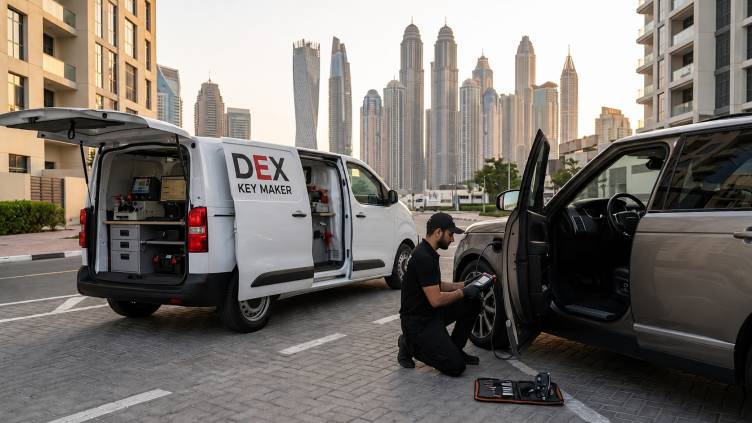
If you're planning smart lock installation in Dubai, DEX Key Maker can help assess the existing door and locking hardware before installation. If you already have a Tuya smart lock that is not operating correctly, the first step is to determine whether the problem involves the physical lock, battery, door alignment, connectivity, or app configuration.


.png)