

Smart Lock Battery Dead? What to Do When Your Lock Loses Power
A smart lock battery-dead situation can be frustrating, especially when you are standing outside and the keypad, fingerprint reader, or electronic controls are no longer responding. The good news is that a dead battery does not necessarily mean the lock is damaged or that it needs to be replaced.
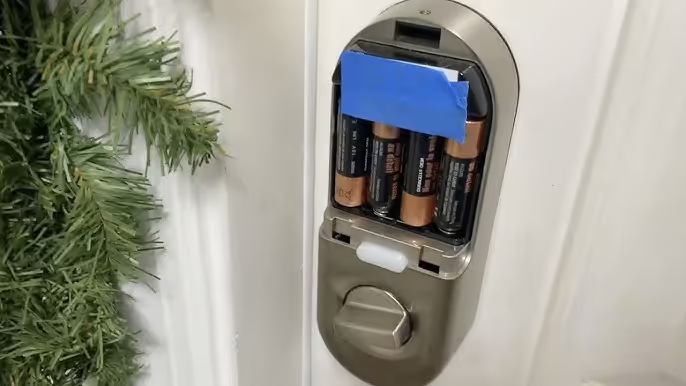
Whether you already use a smart lock or are considering smart lock installation in Dubai, it is important to understand how the lock handles a complete loss of power. Depending on the model, emergency access may be available via a mechanical key, an external emergency power connection, or another manufacturer-supported method.
external emergency power connection, or another manufacturer-supported method.
However, there is no universal procedure that works with every smart lock. Before connecting a battery, USB cable, or other power source, identify your lock model and check the manufacturer's instructions.
This guide explains what to do when a smart lock battery dies, how to determine whether the battery is actually the problem, and when professional assistance may be necessary.
How Do You Know If Your Smart Lock Battery Is Dead?
A smart lock that doesn't open doesn't necessarily have a dead battery.
Before troubleshooting, look at what the lock is doing.
Possible signs of a battery or power problem include:
- The keypad or display does not illuminate
- There is no sound when buttons are pressed
- The fingerprint reader does not respond
- The lock previously displayed a low-battery warning
- The manufacturer's app previously reported low battery
- Electronic credentials produce no response from the lock
If the keypad lights up and accepts your PIN but the locking mechanism does not move correctly, the problem may be mechanical rather than simply battery-related.
Similarly, if one access method fails while another continues to work, the problem could involve a sensor, credential, app connection, or another component.
What to Do When Your Smart Lock Battery Dies
The correct procedure depends on the smart lock you have.
Avoid forcing the handle, inserting tools into the lock, or connecting an unsupported power source. Instead, work through the backup methods provided for your particular model.
1. Check for a Mechanical Backup Key
Start by checking whether your smart lock has a mechanical key override.
Some smart locks combine electronic access with a conventional key cylinder. The keyhole may be clearly visible or concealed behind a cover depending on the design.
If your lock includes a mechanical override and you have the correct backup key, you may be able to unlock the door without restoring power to the electronics first.
Not every smart lock has a mechanical key, however. Some keyless models rely on an external emergency power source instead.
If you have a smart lock with a mechanical override, keep the spare key somewhere accessible outside the locked property rather than inside the home where it cannot help during a lockout.
2. Look for an Emergency-Power Connection
If there is no usable mechanical key, inspect the exterior of the lock for an emergency power connection.
Depending on the manufacturer and model, this may take the form of:
- Battery terminals
- USB or USB-C emergency-power connection
- Another manufacturer-specific external power input
These connections are designed to provide temporary power so that the lock's electronics can operate long enough for you to authenticate and unlock the door.
Do not assume that every smart lock accepts a 9V battery or USB power.
Always follow the procedure specified for your exact model.
Does Emergency Power Charge a Smart Lock?
Not necessarily.
This is an important distinction.
An external emergency power connection may provide enough temporary power to operate the lock without charging its internal batteries.
For example, you may connect the manufacturer-specified emergency power source, wake the keypad, enter your PIN or use another registered credential, unlock the door, and then replace the depleted internal batteries from the inside.
Once you regain access, disconnect the emergency power source and replace or recharge the lock's internal power source according to the manufacturer's instructions.
Do not treat an emergency-power port as a normal charging port unless the manufacturer specifically says that it can be used for charging.
3. Use the Manufacturer's Emergency-Access Procedure
Once you identify the lock's emergency-power system, follow the instructions for that particular model.
A typical process may involve:
- Applying the specified external power source.
- Waiting for the keypad or display to activate.
- Entering a registered PIN, fingerprint, card, or other supported credential.
- Unlocking the door normally.
- Replacing the depleted internal batteries after gaining access.
The exact sequence varies between locks.
If you no longer have the manual, search for the model number on the lock, the packaging, the manufacturer's app, or the product documentation.
Avoid experimenting with different voltages or power sources simply because another smart-lock brand uses them.
4. Replace the Batteries After You Regain Access
On many smart locks, the main battery compartment is located on the interior side of the door.
That means you may not be able to replace the batteries while you are locked outside.
Once you regain access using a backup key, emergency power, or another supported method, open the battery compartment and replace the batteries according to the manufacturer's instructions.
Use the battery type and specification recommended for your particular lock.
Do not assume that all smart locks use AA, AAA, or rechargeable batteries. Battery requirements vary by model, and some locks use dedicated rechargeable battery packs.
When replacing disposable batteries, also check:
- Battery orientation
- Battery contacts
- Signs of corrosion
- Signs of leakage
- Whether all batteries should be replaced together
If the manufacturer specifies replacing the complete battery set, avoid mixing old and new batteries.
5. Test the Smart Lock Before Closing the Door
After installing fresh batteries, don't immediately close the door and assume the problem has been solved.
Test the lock while the door is open.
Check whether:
- The keypad responds
- PIN access works
- Fingerprint recognition works, if applicable
- Cards or key fobs work
- The mobile app communicates with the lock, where applicable
- The bolt or latch extends and retracts correctly
- The handle operates normally
Testing with the door open reduces the risk of locking yourself out again if the battery wasn't the actual cause.
Smart Lock Still Not Working After Changing the Batteries?
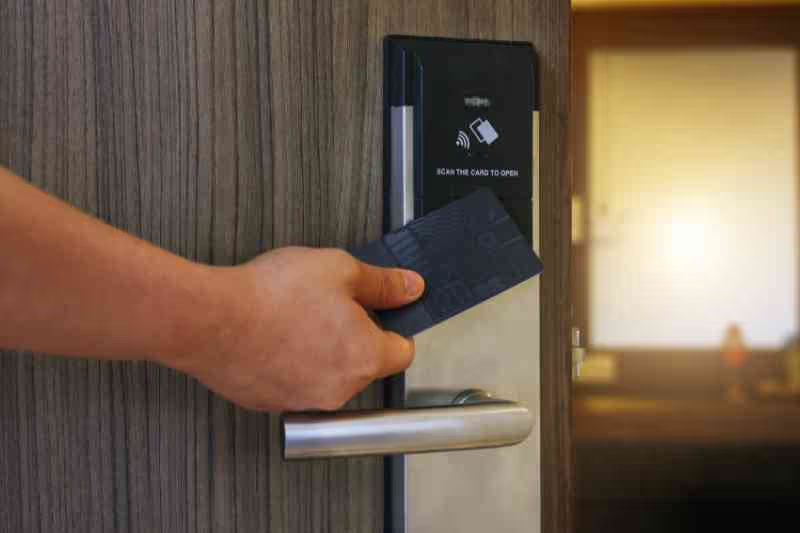
If fresh batteries do not restore normal operation, the problem may be somewhere else.
First, check that the batteries are installed in the correct orientation and meet the manufacturer's specifications.
Then inspect the battery contacts for visible dirt, corrosion, or damage.
If the lock powers up but struggles to lock or unlock, pay attention to the door's mechanical operation.
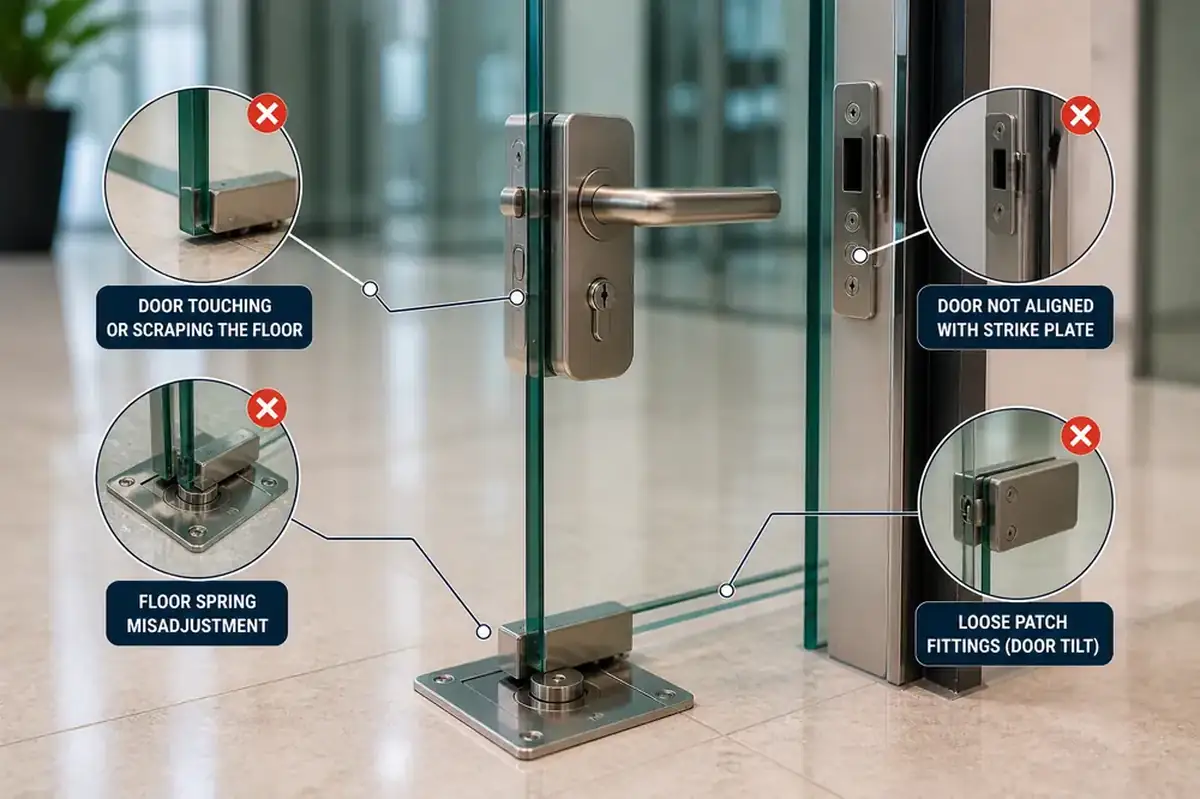
A smart lock contains mechanical components as well as electronics. If the door or strike is misaligned, the motor may struggle to move the locking mechanism even though the batteries are working correctly.
Other possible problems can involve the:
- Internal lock mechanism
- Motor
- Handle
- Mortise
- Sensor
- Electronic components
- Door alignment
- Access configuration
Repeatedly changing batteries will not resolve a mechanical or electronic fault that is unrelated to the power source.
Dead Battery or Another Smart-Lock Problem?
The lock's behavior can provide useful clues.
These are possible causes rather than definitive diagnoses. Smart-lock designs vary considerably, so troubleshooting should take the particular brand and model into account.
Why Does a Smart Lock Battery Drain Quickly?
If you are replacing batteries much more frequently than expected, don't simply keep installing new ones without considering why they are draining so quickly.
Battery consumption can be affected by several factors, including the lock design, usage frequency, connectivity features, environmental conditions, and mechanical resistance.
One issue worth checking is door alignment.
If the motor has to work against resistance every time it extends or retracts the bolt, the lock may have to work harder during operation. If you notice that the lock sounds strained, operates slowly, or works better when the door is open, check the door or strike alignment.
Environmental conditions can also affect electronic door hardware and batteries. If you are experiencing repeated failures rather than a one-time dead battery, our guide to smart lock problems in Dubai explains other factors worth investigating.
Can You Open a Smart Lock With a Dead Battery?
Often, there is a manufacturer-provided emergency access method, but exactly how it works depends on the lock.
A particular model might provide:
- Mechanical key override
- External emergency-power terminals
- USB-based emergency power
- Another backup access method
A completely dead electronic lock cannot be assumed to respond to its normal keypad, fingerprint reader or wireless functions until power is restored.
That's why it is useful to understand the emergency-access method for your smart lock before you actually need it.
Can You Unlock a Dead Smart Lock From the App?
Not necessarily.
If the lock itself has completely lost power, having a functioning mobile app does not automatically restore power to the physical lock.
The app may still be useful for checking previous battery warnings, product information, or troubleshooting instructions, but electronic unlocking depends on the lock and its associated hardware being operational.
If the lock is completely unresponsive, you may need to use its supported mechanical override or emergency-power method first.
What If the Smart Lock Has No Keyhole?
A smart lock without a visible keyhole is not necessarily impossible to open after the battery dies.
Some fully keyless locks are designed with an external emergency power system rather than a mechanical key override.
Inspect the exterior of the lock and consult the manual for the exact model.
Do not attempt to remove the lock from the outside or pry open covers that are not designed for user access.
What If the Battery Compartment Is Inside the House?
This is normal for many smart-lock designs.
If you are outside, you generally need to regain access through the manufacturer's backup method before you can reach the internal battery compartment.
Once the door is open, replace the batteries and test the lock before closing the door again.
If you have another authorized entrance to the property, using that entrance may also allow you to reach the interior battery compartment without needing to attempt emergency access through the affected lock.
When Should You Call a Locksmith?

Professional assistance may be appropriate when:
- You cannot identify the supported emergency-access method
- The mechanical override key is unavailable
- Emergency power does not restore operation
- The lock remains unresponsive with fresh batteries
- The keypad works, but the locking mechanism will not move
- The door or lock appears mechanically jammed
- You are concerned about damaging the smart lock by attempting further troubleshooting
The first objective should be identifying the actual problem rather than immediately replacing the lock.
A technician familiar with electronic locks can determine whether the problem involves power, the cylinder, mortise, motor, door alignment, or another component.
If the underlying problem is mechanical, repairing the door lock may be more appropriate than replacing the entire smart lock system.
How to Prevent a Smart Lock Battery Lockout
A few simple habits can reduce the likelihood of finding yourself outside with a completely unresponsive lock.
Respond to Low-Battery Warnings
Don't repeatedly dismiss low-battery alerts from the lock or app.
Replace or recharge the battery when the manufacturer recommends it rather than waiting for complete power loss.
Use the Correct Batteries
Follow the battery specification provided by the manufacturer.
Don't assume that rechargeable batteries are suitable simply because they physically fit the battery compartment. Some smart locks specifically require a particular battery chemistry or type.
Replace Batteries Correctly
Where the manufacturer requires the entire set to be changed, replace them together rather than mixing batteries with different charge levels.
Know Your Emergency-Access Method
Before you need it, find out whether your lock uses:
- Mechanical backup key
- Emergency battery terminals
- USB emergency power
- Another backup method
Keep any required backup item in an accessible place.
A spare mechanical key kept inside the locked property won't help when you're standing outside.
Pay Attention to Changes in Operation
If the lock suddenly becomes slower, louder, or starts struggling to move the bolt, don't assume the battery is always responsible.
Check the door and locking mechanism before the problem develops into a complete failure.
Test the Backup Method
If the manufacturer provides an emergency-access feature, understand how it works before an actual lockout occurs.
You don't want the first time you look for the emergency-power terminals to be when the battery is already dead.
Should You Replace a Smart Lock Because the Battery Died?
Usually, a single dead battery is not a reason to replace the entire smart lock.
If fresh batteries restore normal operation and there are no other problems, replacement may be unnecessary.
A replacement or upgrade becomes more relevant if the lock has recurring electronic failures, mechanical problems, compatibility issues, or no longer provides the access features you need.
If you are considering a new lock, check door compatibility before installing a smart lock in Dubai. Door thickness, existing mortise, backset, opening direction, and current cut-outs can all influence which smart lock models are suitable.
Frequently Asked Questions
What happens when a smart lock battery dies?
Electronic functions may become unavailable once the battery is fully depleted. Depending on the model, you may be able to regain access using a mechanical override key or a manufacturer-supported emergency power connection.
Will a smart lock warn me before the battery dies?
Many models provide a low-battery warning through the lock itself, the keypad, or the connected app, but the method varies by model.
Respond to the warning promptly rather than waiting until the battery is completely depleted.
Can I use a 9V battery to open a smart lock?
Only if the manufacturer specifies a 9V emergency-power connection for your particular model.
Some locks support this method, while others use USB-based emergency power, mechanical keys, or different systems.
Do not connect a 9V battery to a lock that is not designed for it.
Can I use a power bank on a smart lock?
Only when the lock has a manufacturer-supported USB emergency-power input and the instructions allow a compatible power source.
A USB port should not be treated as a charging port automatically.
Does emergency power recharge the batteries inside the smart lock?
Not necessarily.
On many systems, emergency power temporarily operates the electronics so you can authenticate, unlock the door, and then replace the depleted internal batteries.
Why is my smart lock not working with new batteries?
Possible causes include incorrect battery installation, unsuitable batteries, poor battery contact, door misalignment, mechanical resistance, or an electronic fault.
If the lock powers up but cannot move the locking mechanism, the problem may not be battery-related.
Should I use rechargeable batteries in my smart lock?
Use only the battery type recommended by the manufacturer. Some locks are designed for rechargeable battery packs, while others require disposable alkaline batteries.
Can a locksmith open a smart lock with a dead battery?
A locksmith experienced with smart locks can assess the lock and determine an appropriate access method based on its design. The correct procedure depends on the model and whether the problem is actually caused by the battery.
Smart Lock Battery Dead? Identify the Problem Before Replacing the Lock
When a smart lock battery dies, the first step isn't to force the door or assume the entire lock has failed.
Identify the lock model and check which emergency-access method the manufacturer provides. If available, use the mechanical backup key or the specified emergency power connection to regain access, then replace the internal batteries.
After installing fresh batteries, test the lock while the door is open.
If it remains unresponsive or the locking mechanism struggles to operate, the problem may involve the hardware, electronics, or door alignment rather than the battery itself.
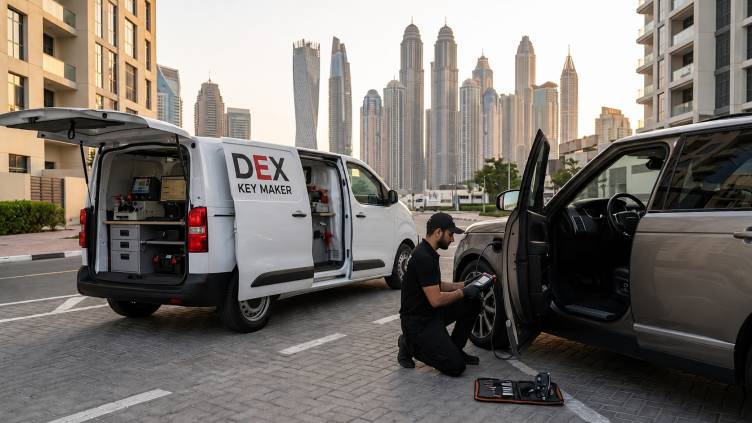
DEX Key Maker provides smart-lock troubleshooting, repair and installation services in Dubai. If the existing lock cannot be restored or you are planning an upgrade, the door and existing hardware should be checked before selecting a replacement smart lock.


.png)